Stats


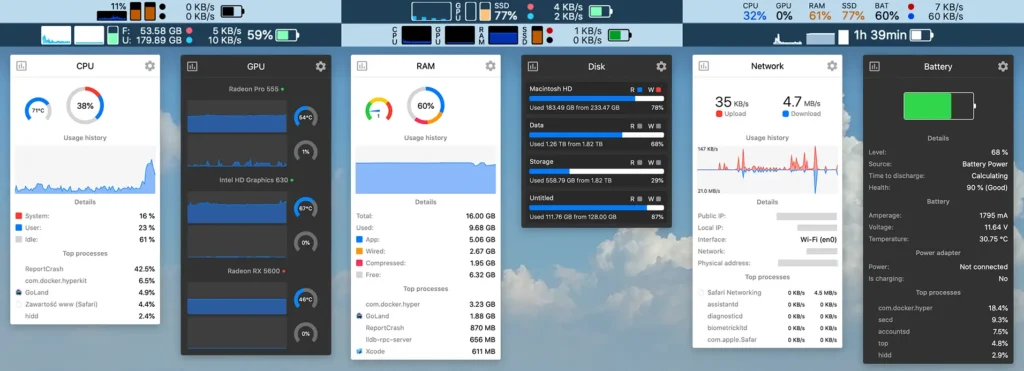
Stats is a free, open-source, native macOS application optimized for Apple Silicon macOS. It is designed to monitor system hardware performance in real time directly from the menu bar.

It offers comprehensive, localized tracking of CPU, GPU, battery, network, and disk metrics, providing a lightweight, customizable alternative to commercial monitoring tools.
https://mac-stats.com

Development Workstation

M1 Development Workstation

M1 macOS-Creative/Xubuntu-Development Workstation

Finding the perfect balance of performance, isolated environments, and hardware efficiency is a constant evolution. I recently rebuilt my workstation from scratch to tackle advanced software engineering, local AI workflows, and academic computer science.

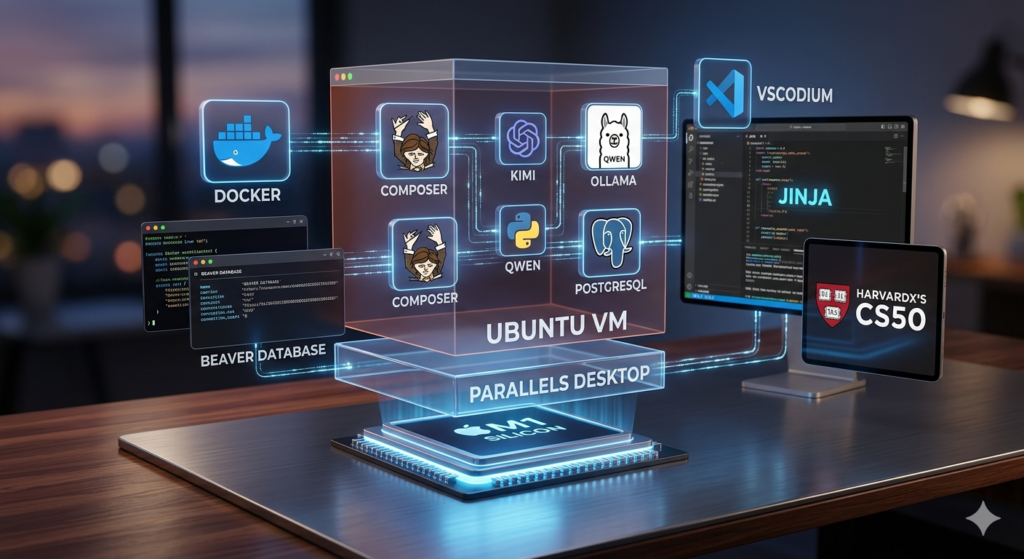
Here is the blueprint of my current setup:

  • 💻 The Host & Virtualization Layer
    • Apple M1 Silicon: The silent, hyper-efficient hardware foundation.
    • Parallels Desktop: Native-speed virtualization to run smooth Linux side-by-side with macOS.
    • Ubuntu VM: My primary workspace, keeping my macOS host clean and uncluttered.
  • 🐳 Containerization & Backend
    • Docker: Handles all app isolation so deployment is completely reproducible.
    • Composer: The essential package and dependency manager for my backend architecture.
    • PostgreSQL & DBeaver: A robust relational database paired with a universal GUI for easy schema management.
  • 🤖 Local AI & LLM Engine
    • Ollama + Qwen: Running powerful LLMs completely locally for private, zero-latency coding assistance.
    • Kimi: Integrated as an efficient AI helper to accelerate research and debugging.
  • 🛠️ Editor & Academic Foundation
    • VSCodium: All the power and extensions of VS Code, but completely telemetry-free and open-source.
    • Jinja: Fast, clean Python templating for dynamic configurations.
    • HarvardX’s CS50: The ultimate framework guiding my structured approach to computer science fundamentals and algorithmic thinking.

Download Videos

yt-dlp

Are you a little techie? Know how to open a Linux or macOS terminal, or even a God-forsaken Windows command shell? Want to download online videos? Then yt-dlp to the rescue. First, follow one of these installation instructions for your operating system.

  • Linux uses this command to install yt-dlp: “sudo apt install yt-dlp (or replace apt with dnf, etc.)
  • macOS uses the Homebrew package manager (install Homebrew with instructions at the homebrew.sh website) with the command “brew install yt-dlp“,
  • Windows uses winget with the command: “winget install yt-dlp“

After installing yt-dlp, download a video with the command “yt-dlp “YOUR_VIDEO_URL“. Replace the ‘YOUR_VIDEO_URL’ with the video URL, but DON’T remove the double quotes.

Shopify vs. WordPress

Shopifiy vs WordPress

Shopify or WordPress for your SMB’s website?

Which is better for your business?

  • Shopify: a fully managed, all-in-one commercial platform. It works right out of the box.
  • WordPress: a free, open-source software. You control the hosting, security, and design.

Differences At-A-Glance

FeatureShopifyWordPress (with WooCommerce)
Setup SpeedFast. Ready in hours.Slow. Requires technical configuration.
Monthly CostFixed. $29–$299+/month plus apps.Variable. $5–$50/month for hosting.
Transaction FeesYes. Charges 0.5%–2% if not using Shopify Payments.No. Only standard credit card processing fees.
Design ControlRestricted. Locked into structured templates.Infinite. Complete control over every pixel.
Media HandlingBasic. Optimized for standard product images.Advanced. Perfect for audio, video, and PDFs.
MaintenanceHands-off. Automatic updates and hosting security.Hands-on. You must update plugins and backups.