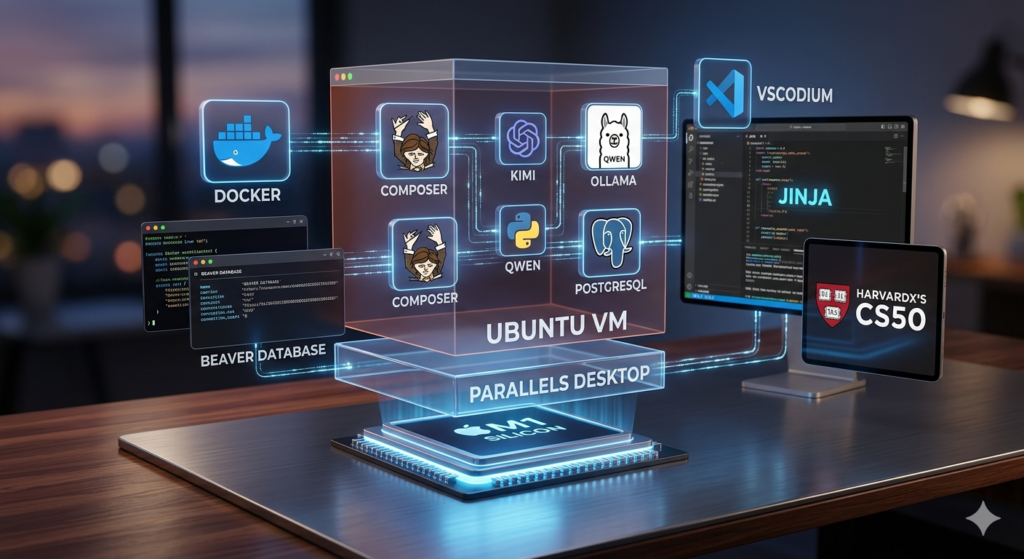
M1 macOS-Creative/Xubuntu-Development Workstation
Finding the perfect balance of performance, isolated environments, and hardware efficiency is a constant evolution. I recently rebuilt my workstation from scratch to tackle advanced software engineering, local AI workflows, and academic computer science.
Here is the blueprint of my current setup:
- 💻 The Host & Virtualization Layer
- Apple M1 Silicon: The silent, hyper-efficient hardware foundation.
- Parallels Desktop: Native-speed virtualization to run smooth Linux side-by-side with macOS.
- Ubuntu VM: My primary workspace, keeping my macOS host clean and uncluttered.
- 🐳 Containerization & Backend
- Docker: Handles all app isolation so deployment is completely reproducible.
- Composer: The essential package and dependency manager for my backend architecture.
- PostgreSQL & DBeaver: A robust relational database paired with a universal GUI for easy schema management.
- 🤖 Local AI & LLM Engine
- Ollama + Qwen: Running powerful LLMs completely locally for private, zero-latency coding assistance.
- Kimi: Integrated as an efficient AI helper to accelerate research and debugging.
- 🛠️ Editor & Academic Foundation
- VSCodium: All the power and extensions of VS Code, but completely telemetry-free and open-source.
- Jinja: Fast, clean Python templating for dynamic configurations.
- HarvardX’s CS50: The ultimate framework guiding my structured approach to computer science fundamentals and algorithmic thinking.